Client Portal
A better way to work with your clients.
Built by What Could AI for an accounting and bookkeeping practice, with separate views for clients and staff.

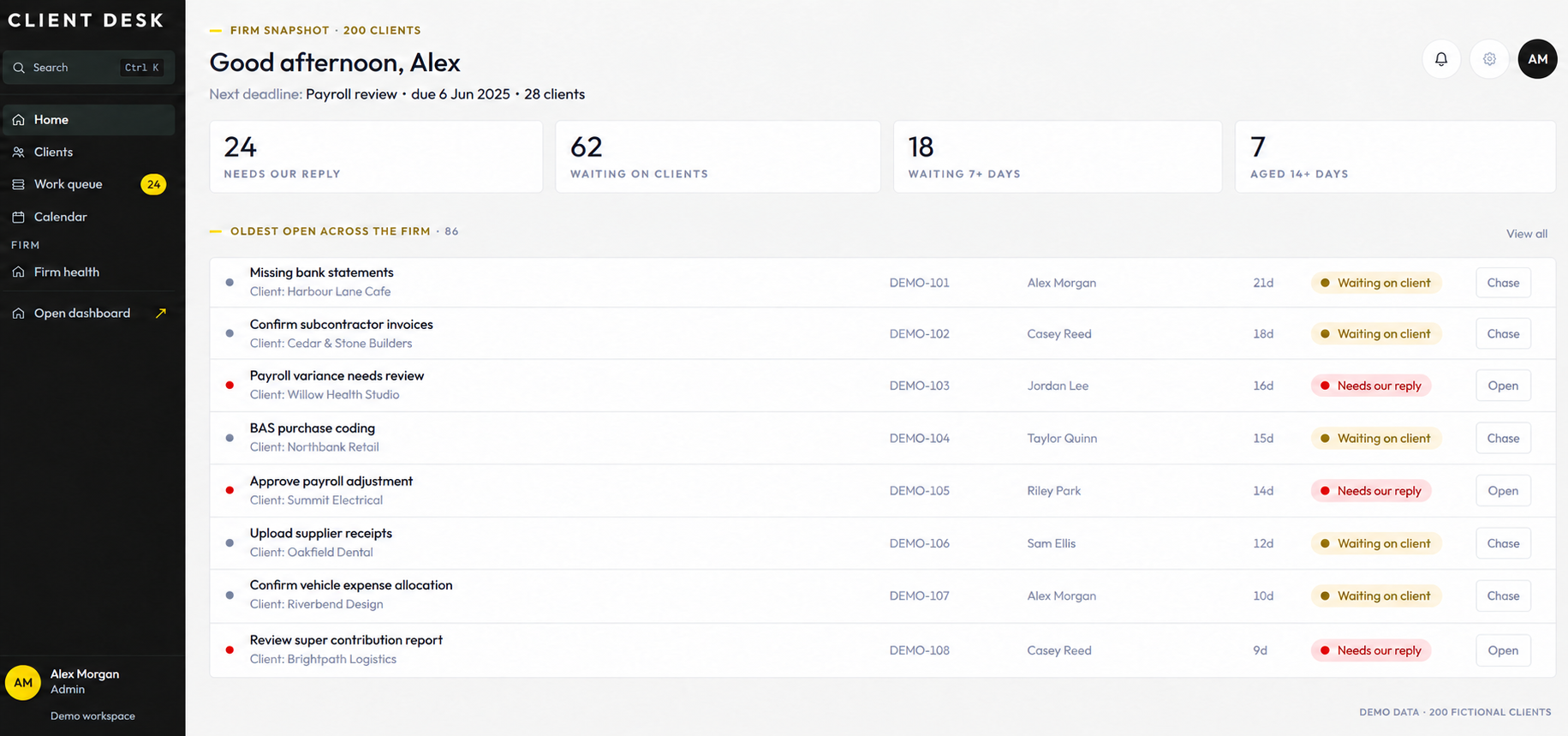
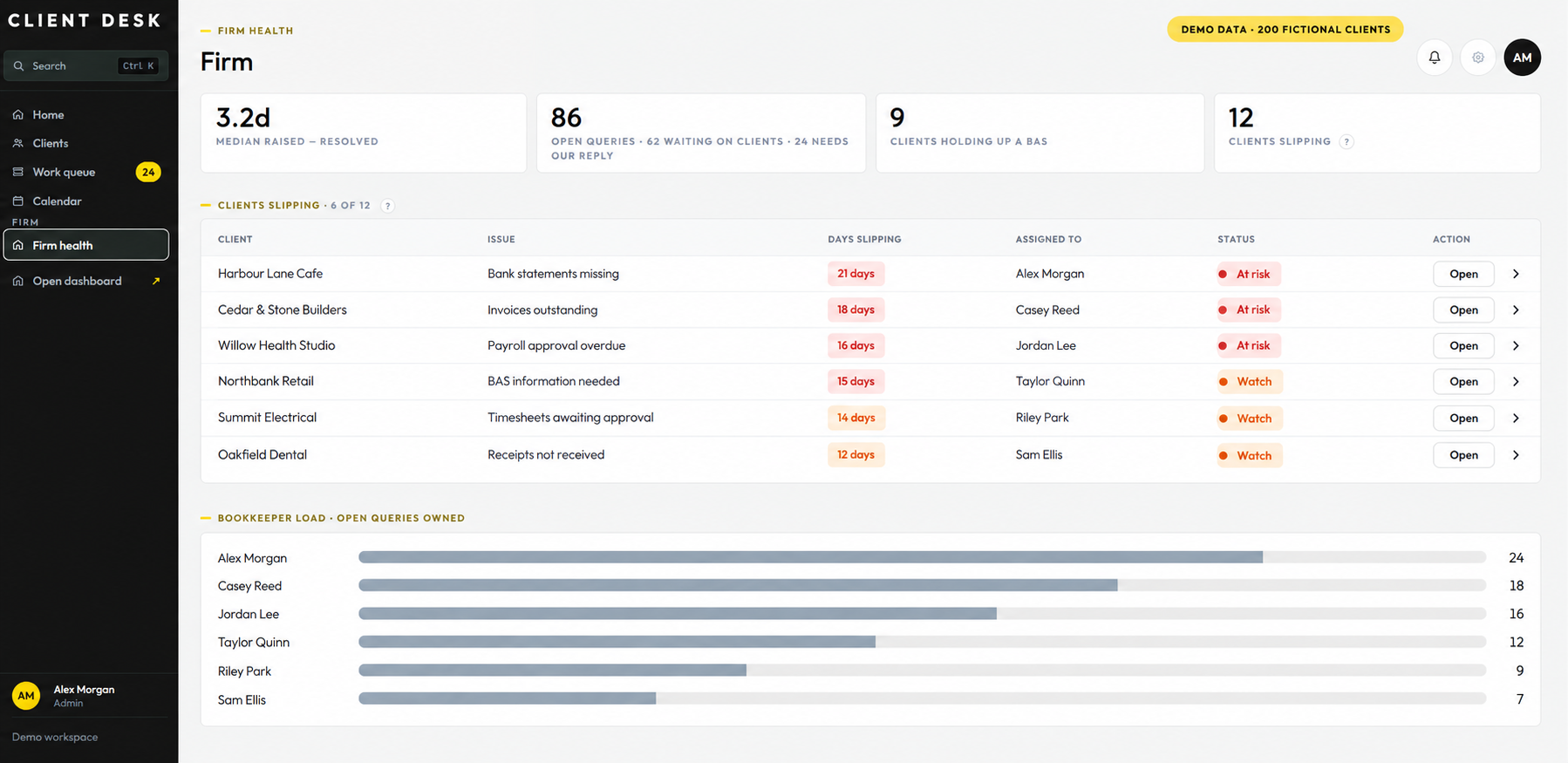
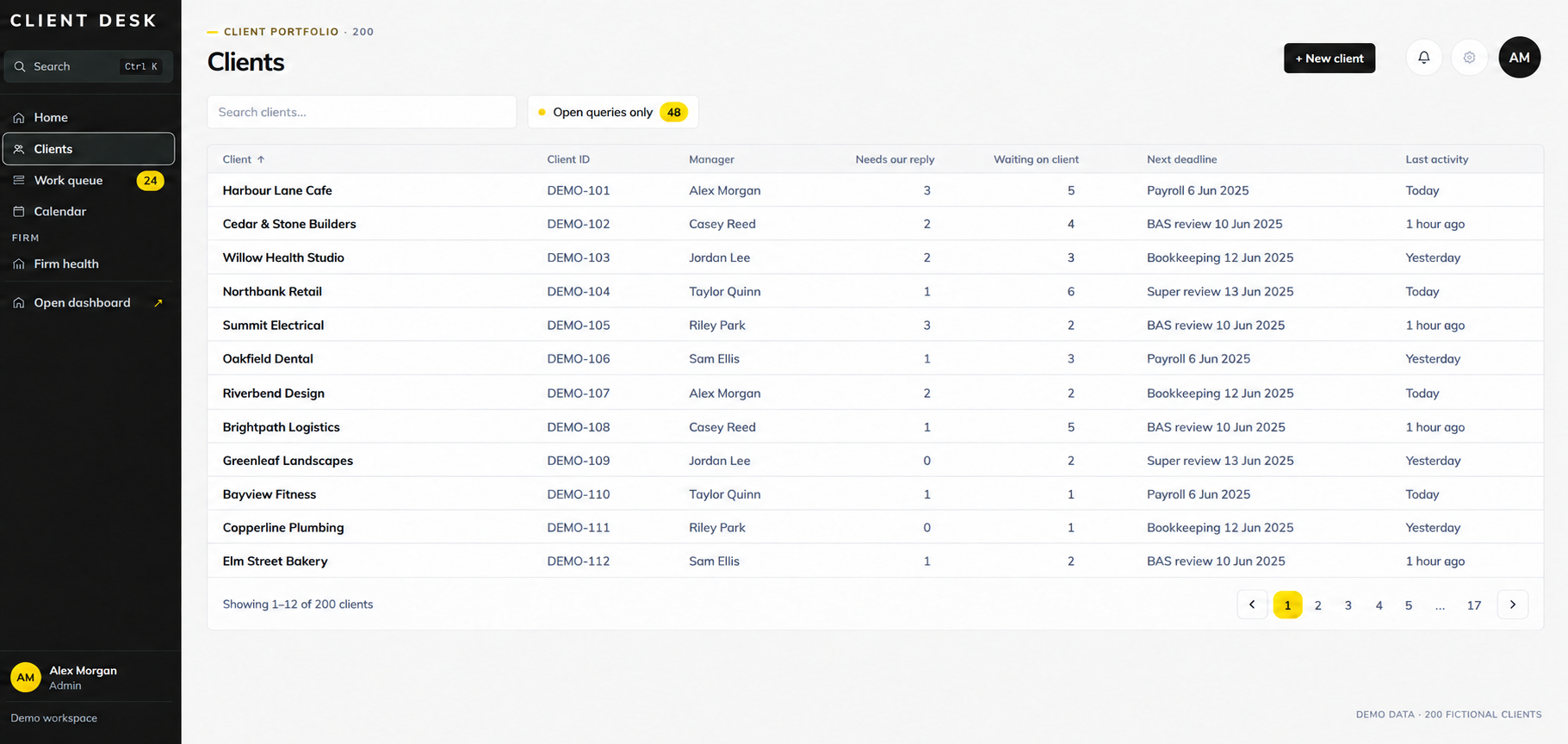
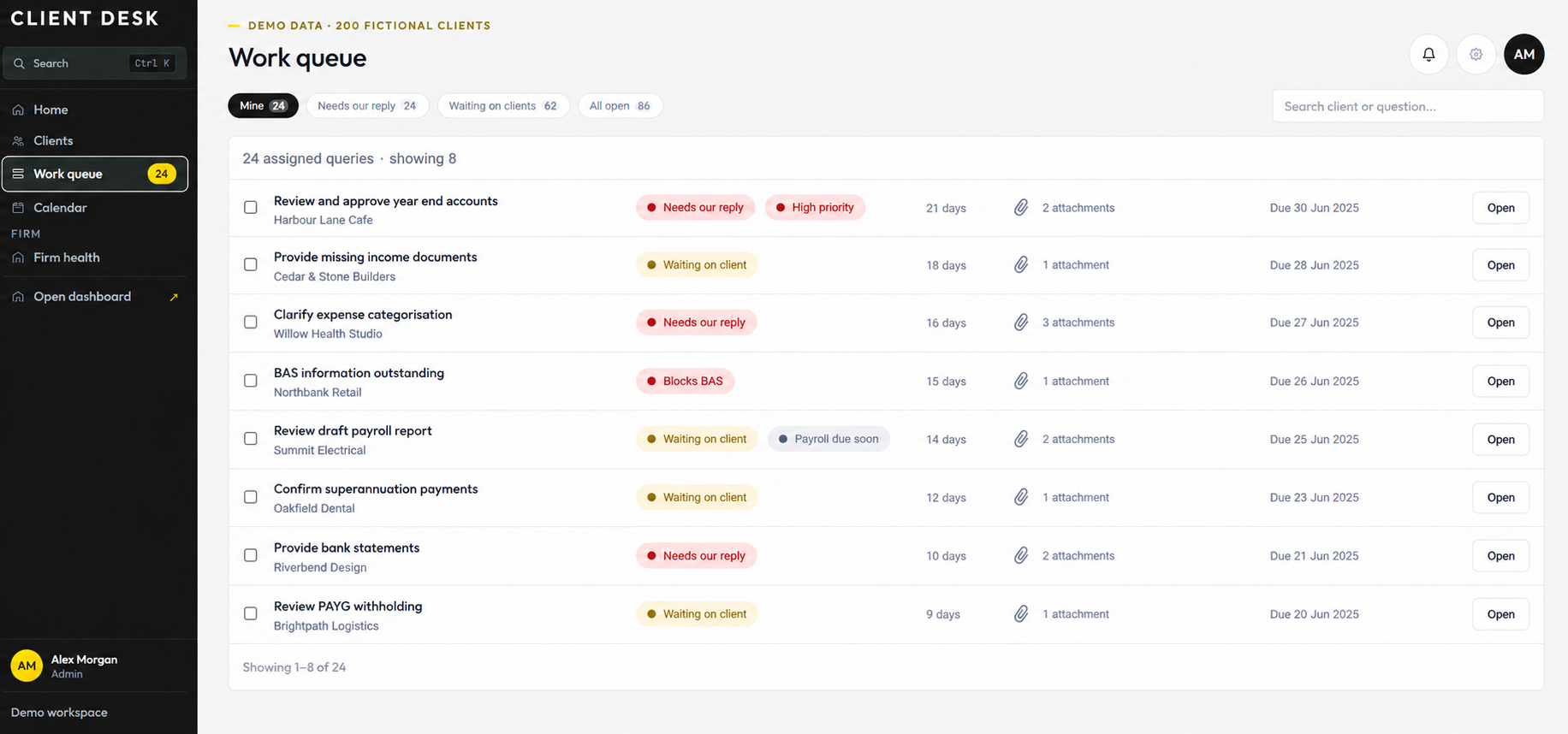
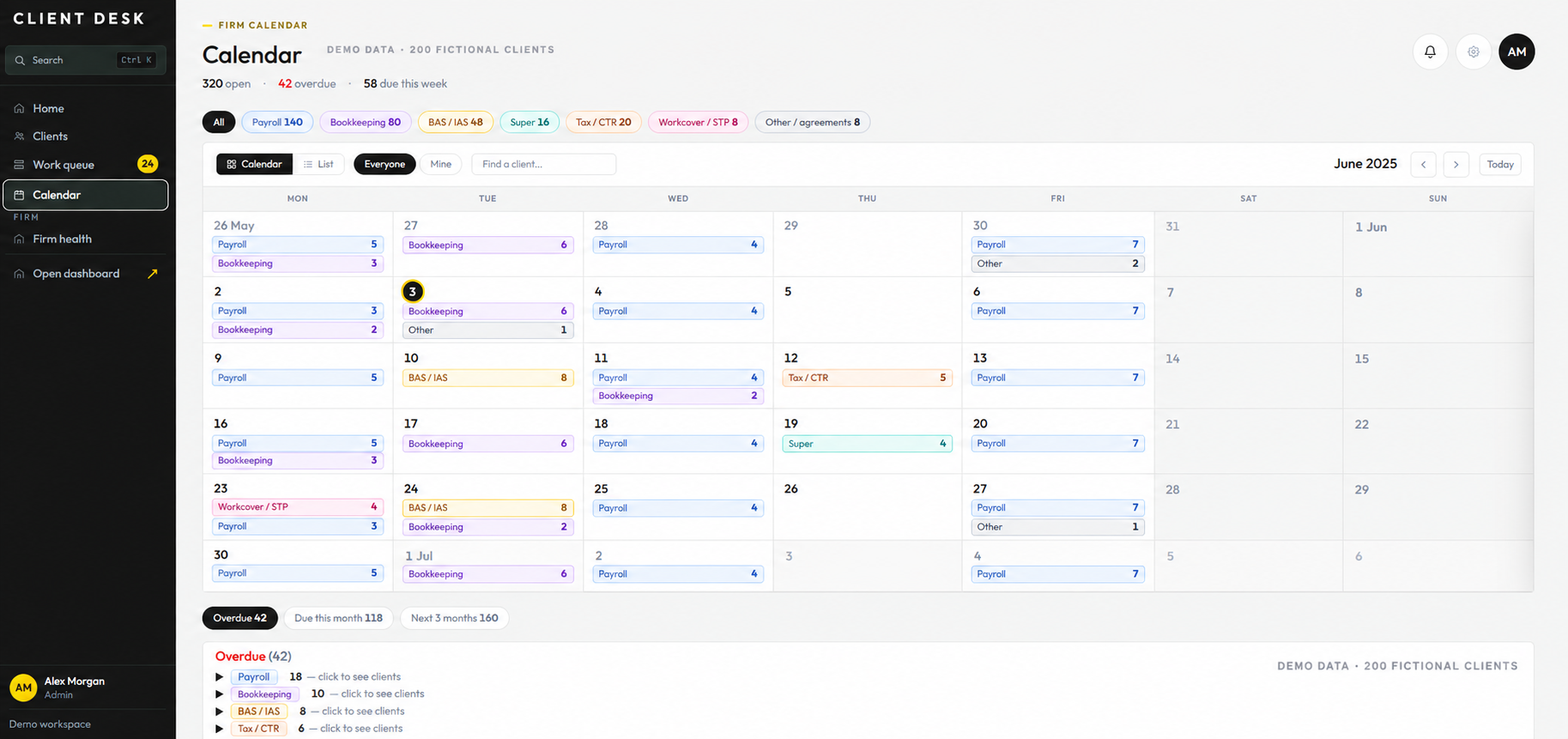
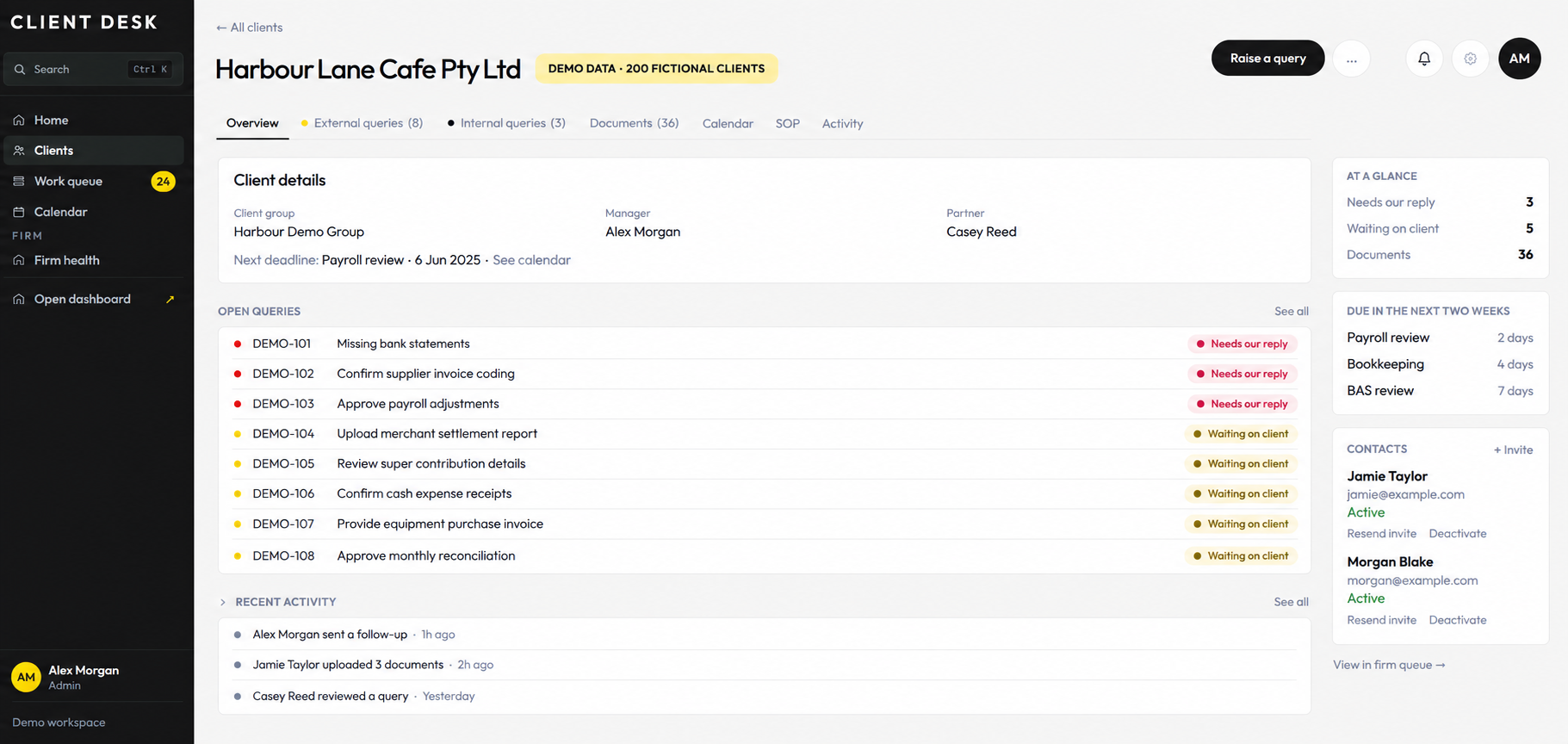
Illustrative interface with 200 fictional clients. Names, queries, deadlines and figures are demo data. Select a thumbnail to view it above.
Document sharing
Client communication
Deadlines & reminders
Client & staff views
Client access controls
What we built
A modern client portal for accounting and bookkeeping firms. Give your clients a simple, secure place to communicate, share documents, track deadlines and stay across key information — all in one place.
Two sides of the same work
Clients need to understand what the practice is asking for. Staff need to see outstanding requests across the practice. The portal brings documents, conversations and deadlines into those two views.
One request, visible to the client and the practice
An accounting request needs a place for the documents, a conversation and a due date. The portal connects those pieces, while giving the practice a view across its work. The screenshots use 200 fictional clients to demonstrate the interface, not a claim about client numbers.
Give the client a clear view
The client view brings their queries and documents together. It gives the client a place to see what is needed and share information with the practice, instead of piecing together separate email threads.
View the client screen →Organise the practice’s work
The staff work queue shows assigned tasks and follow-ups. The client directory provides another way into the work, while the firm-health view highlights clients needing attention.
View the work queue →See deadlines together
The calendar brings practice deadlines into one view. Document sharing, client communication and reminders sit within the same portal, so the work has context beyond a date in a calendar.
View the calendar screen →
Built around the relationship
The client’s experience and the staff workflow need to fit together. What Could AI designed the portal around both, with client access controls and a separate practice view. The previews demonstrate the product’s structure; the names, deadlines and figures are illustrative.